



Blogs
Services
Web Development, Website Strategy, WordPress Tips 13 Sep 2025
Ultimate WordPress Security Guide: Protect Your Site from Malware & Hacks

Writen by Tech Contributors
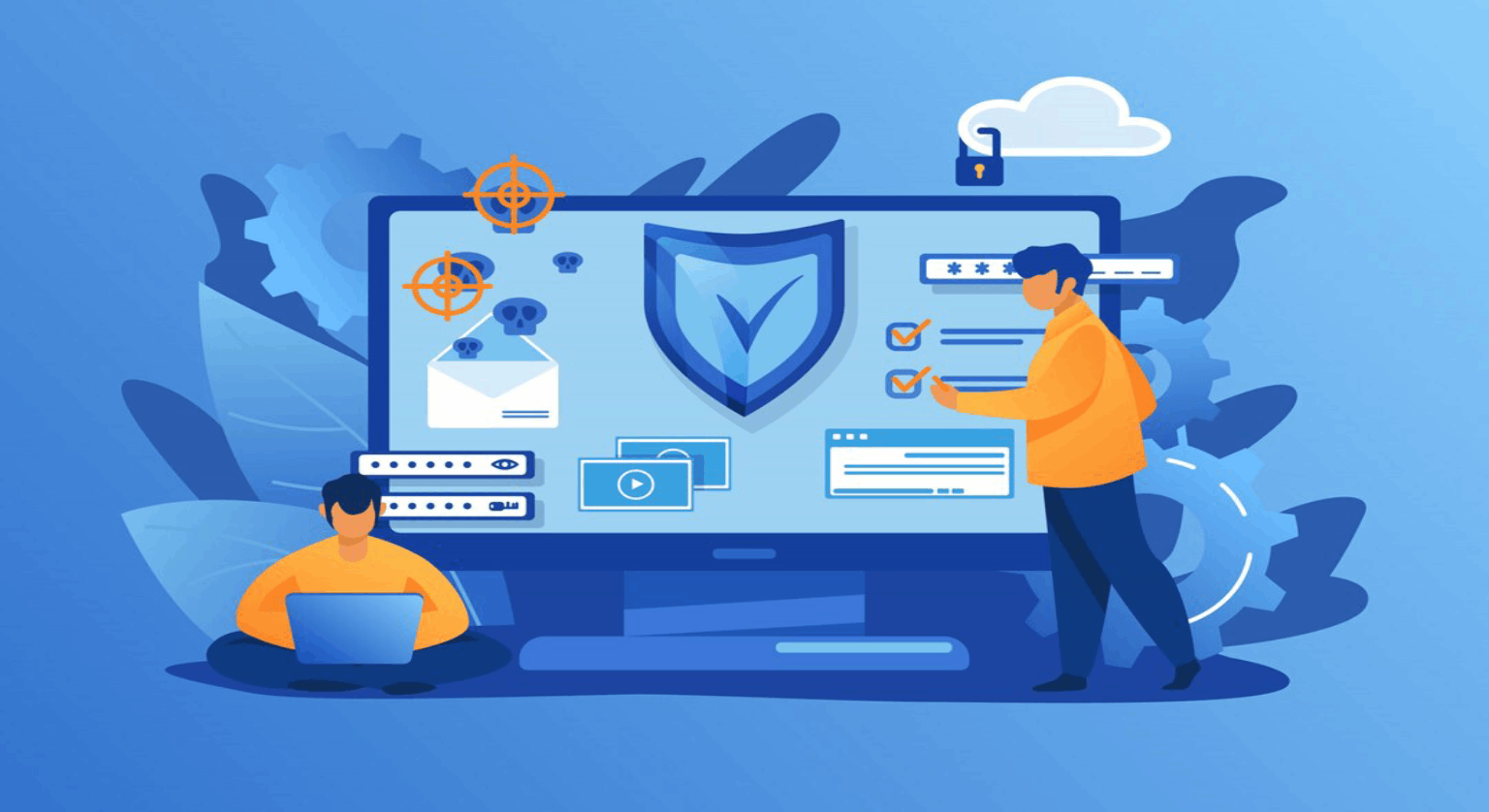
The digital landscape is a battlefield, and your WordPress site is a prime target. From annoying spam to devastating data breaches, wordpress security concerns are ever-present. Ignoring wordpress security problems can lead to lost data, damaged reputation, and significant financial costs. But how do you secure wordpress effectively? This comprehensive guide will walk you through wordpress security best practices, essential tools, and recovery steps to ensure your website remains robust and protected.
What is WordPress Security and Why is it Crucial?
What is WordPress Security?
WordPress security encompasses all measures taken to protect a WordPress website from unauthorized access, malicious attacks, data breaches, and vulnerabilities. This involves safeguarding everything from user data and website content to the server infrastructure itself. Strong wordpress website security is not just about preventing hacks; it’s about ensuring your site’s availability, integrity, and confidentiality.
Why is Robust WordPress Security Essential?
In today’s interconnected world, an unprotected WordPress site is an open invitation for trouble. A website hacked scenario can result in lost customer trust, SEO penalties, blacklisting by search engines, and even legal repercussions if sensitive data is compromised. Proactive wordpress malware protection and understanding wordpress security vulnerabilities are critical to maintaining your online presence and business continuity. Regularly performing a wordpress website security check can identify weaknesses before they are exploited.
Best WordPress Security Plugins: Your First Line of Defense
What Are the Best WordPress Security Plugins?
The best wordpress security plugins offer a multi-layered approach to protecting your site, acting as a crucial defense against various threats. These plugins typically combine firewall capabilities, malware scanning, brute force protection, and security hardening features into a single solution.
To effectively secure your WordPress site, implementing a reliable WordPress security plugin is non-negotiable. These tools act as vigilant guardians, constantly monitoring for suspicious activity and blocking threats. When searching for the best WordPress security solution, look for comprehensive features that cover all aspects of protection.
Many solutions offer robust wordpress firewall security to filter malicious traffic. Some popular choices include all in one WP security plugin and all in one WordPress security and firewall solutions, which aim to provide a full suite of features. For advanced malware detection and removal, MalCare WordPress plugin is often cited as a powerful option, renowned for its efficiency. Selecting a top WordPress firewall plugin can significantly enhance your site’s perimeter defense. If you’re looking to explore WordPress security plugins, focus on those that offer real-time monitoring and proactive threat prevention.
Key Features to Look for in a WP Security Plugin:
- **Firewall (WAF):** A wordpress firewall security protects your site from common web attacks. Choose one with robust WordPress firewall protection.
- **Malware Scanner:** An effective wordpress malware scanner identifies malicious code. Ensure the plugin offers an efficient WP malware scanner and a free WordPress malware scanner option for initial checks.
- **Malware Removal:** Beyond scanning, the ability to clean up infections, often referred to as wordpress malware cleanup, is vital. Some offer a dedicated wordpress malware removal plugin or even WordPress malware cleanup plugin services.
- **Brute Force Protection:** Prevents automated login attempts. Look for robust brute force protection for WordPress.
- **Security Hardening:** Tools for wordpress hardening like changing default URLs, disabling file editing, and enhancing password policies.
- **Activity Logging:** To track changes and identify suspicious behavior.
- **Vulnerability Scanning:** To detect wordpress plugin vulnerabilities and themes security flaws. A good WordPress vulnerabilities scanner is crucial.
Finding the find the best security plugin involves assessing your specific needs and budget. A wp security plugin like lightweight WP security plugin options can be great for performance-conscious users, while more comprehensive tools offer greater peace of mind. To protect your WP site now, invest in a quality solution, often a best wp security plugin.
How to Protect Your WordPress Site from Malware
What is WordPress Malware?
WordPress malware refers to malicious software or code designed to damage, exploit, or gain unauthorized access to your WordPress website. This can include viruses, worms, Trojans, backdoors, spam injectors, and ransomware. Malware can compromise your site’s performance, steal data, redirect visitors, or use your site for illicit activities.
How to Scan Your WordPress Site for Malware?
Regularly scanning your site is crucial for wordpress malware protection. You can wordpress security scan your website using a dedicated wordpress malware scanner plugin or an online wordpress site scanner. These tools help to check wordpress site for malware and identify hidden threats.
Many premium wordpress security plugins include an advanced WordPress malware protection plugin that provides deep scanning capabilities. To scan website for malware, you often just need to initiate a scan from your plugin’s dashboard. A thorough website security check should be a routine practice for every WordPress owner.
WordPress Malware Protection Strategies
Effective wordpress malware protection involves multiple layers:
- **Keep Everything Updated:** Outdated WordPress core, plugins, and themes are the leading causes of wordpress security vulnerabilities. Always update immediately.
- **Strong Passwords:** Use complex, unique passwords for all user accounts, especially administrators.
- **Regular Backups:** In case of a breach, backups are your lifeline for recovery.
- **Limit Login Attempts:** Prevents wordpress brute force protection attempts by locking out suspicious IPs.
- **File Permissions:** Set correct file and folder permissions to prevent unauthorized modifications.
- **SSL Certificate:** Encrypts data transferred between your site and visitors, essential for secure wordpress site status.
Taking these steps will help you protect your website proactively and ensure secure wordpress operations.
My Website Has Been Hacked: What to Do?
Immediate Steps After a WordPress Hack
If my website has been hacked, or you suspect a website hacked situation, immediate action is paramount. First, isolate the problem: take your site offline or switch to a maintenance page to prevent further damage or spread of malware. Change all passwords (WordPress, hosting, database, FTP). Inform your hosting provider. Then, you’ll need to fix hacked WordPress site and embark on WordPress malware removal.
WordPress Malware Removal: The Cleanup Process
When you have a hacked site checker confirm an infection, the wordpress malware cleanup process can be daunting. The easiest way to clean wordpress malware is often through a dedicated wordpress malware removal plugin or by using professional services. Many reputable security plugins offer features to remove malware from website automatically or semi-automatically.
While some resources promise free wordpress malware removal, comprehensive cleaning often requires expert knowledge or premium tools. For severe cases, professional malware cleanup services or hacked site recovery specialists are recommended. It’s crucial not just to remove the malware but also to identify and patch the original vulnerability to plugin to fix hacked site permanently.
Preventing Brute Force Attacks and Other Vulnerabilities
What is a Brute Force Attack?
A brute force attack prevention strategy is essential. A brute force attack is a trial-and-error method used by hackers to guess login credentials, encryption keys, or find hidden web pages. Automated bots repeatedly attempt various combinations until they find a match. This can overwhelm your server and eventually grant unauthorized access, making wordpress brute force protection a critical security measure.
WordPress Hardening: Essential Steps
WordPress hardening involves implementing security measures beyond the default WordPress settings to make your site more resistant to attacks. This includes:
- **Disable File Editing:** Prevent theme and plugin files from being edited directly through the WordPress dashboard.
- **Move wp-config.php:** While not always practical, moving this critical file can add a layer of security.
- **Limit Login Attempts:** Use a plugin to limit how many times a user can attempt to log in. This is a primary method to prevent brute force attacks.
- **Disable XML-RPC:** A common attack vector, especially for DDoS and brute-force attacks.
- **Use Strong Authentication:** Two-factor authentication (2FA) adds a significant barrier.
- **Web Application Firewall (WAF):** A good web application firewal will block malicious requests before they even reach your WordPress installation.
These are aspects of advanced WordPress hardening that significantly improve your site’s resilience. For robust protection, consider advanced site hardening techniques.
Addressing WordPress Security Vulnerabilities
Monitoring for wordpress security vulnerabilities is an ongoing task. These often arise from wordpress plugin vulnerabilities or themes security flaws. Regularly performing a test wordpress site security will help you identify and patch these weaknesses.
Use a WordPress vulnerabilities scanner to regularly scan wordpress site for vulnerabilities. This proactive approach helps you address potential entry points before they are exploited. Keep a wordpress security checklist handy to ensure you’re covering all bases. To check your site for vulnerabilities is a continuous process.
Advanced WordPress Security: Audits and Penetration Testing
What is a WordPress Security Audit?
A wordpress security audit is a systematic review of your WordPress website’s security posture. It involves examining configurations, code, plugins, themes, and server settings to identify weaknesses and compliance issues. The goal is to provide a comprehensive wordpress security checklist and recommendations for improvement.
Professional WordPress security audit services offer deep insights and actionable reports to improve your site’s overall safety. This process helps you check your WordPress site security thoroughly.
WordPress Penetration Testing: Proactive Defense
WordPress penetration testing, often referred to as pentest wordpress, is a simulated cyberattack against your website to find security weaknesses before malicious hackers do. It goes beyond a simple scan by actively trying to exploit vulnerabilities in your system. This hands-on approach helps uncover hidden flaws that automated scans might miss.
Engaging in WordPress penetration testing is a proactive measure for businesses serious about their digital security. It’s an effective way to scan wordpress site for vulnerabilities from an attacker’s perspective, allowing you to improve your website security today by fixing actual exploitable flaws. To discover advanced security tools for this, consult with security experts.
WordPress Security Best Practices: A Checklist
To ensure safe WordPress websites, follow these essential wordpress security best practices:
- **Regular Updates:** Keep WordPress core, plugins, and themes updated.
- **Strong Authentication:** Use unique, complex passwords and implement 2FA.
- **Reliable Backups:** Automate daily backups and store them off-site.
- **Use a Quality Security Plugin:** Install a best wp security plugin with firewall, malware scanning, and hardening features. See how to secure WordPress with the right tools.
- **Limit User Permissions:** Grant only necessary access levels to users.
- **Secure Hosting:** Choose a reputable host with strong server-level security.
- **SSL Certificate:** Always use HTTPS.
- **Monitor Activity:** Keep an eye on user logs and security alerts.
- **Delete Unused Items:** Remove old themes, plugins, and dormant user accounts.
- **Regular Security Audits:** Perform a wordpress security audit periodically.
Adhering to this wordpress security checklist will significantly reduce your risk. Learn more about WordPress security and adopt a continuous security mindset.
Conclusion
Protecting your WordPress website is an ongoing journey, not a one-time task. By understanding the common wordpress security concerns, leveraging wordpress security plugins, and diligently applying wordpress security best practices, you can build a formidable defense against the ever-evolving threats of the internet. Whether you need to fix hacked wordpress site or proactively secure wordpress site against future attacks, the right tools and knowledge are your strongest assets. Invest in your site’s security today to ensure its longevity and success. Explore comprehensive secure website solutions, including website firewall protection and best website security practices, to keep your digital assets safe.
FAQs
We’ve answered the most common questions to help you better understand this topic. Get clear insights before making any decisions.
Ideally, you should scan your WordPress site for malware daily, especially if it's a business-critical site or receives high traffic. Many wordpress malware scanner plugin options offer automated daily scans, providing continuous wordpress malware protection. Regular scans help catch threats early, minimizing potential damage and reducing the effort required for wordpress malware cleanup.
While some free wordpress security plugins offer basic protection and can significantly improve your site's security, they often lack advanced features like real-time firewall protection, comprehensive malware removal, or dedicated customer support found in premium solutions. For robust wordpress website security, particularly for business websites, investing in a reputable premium wp security plugin or a combination of tools is generally recommended to ensure all bases are covered.
The biggest security risk for WordPress sites often stems from outdated software – including the WordPress core, themes, and plugins. These outdated components are primary sources of wordpress security vulnerabilities that hackers actively exploit. Regularly updating everything on your site is the single most impactful action you can take to prevent a website hacked scenario and maintain a secure wordpress site.
If my website has been hacked, first, take your site offline or put it into maintenance mode to prevent further damage or spread of malware. Next, change all passwords (WordPress admin, database, hosting, FTP). Contact your hosting provider for assistance. Then, use a dedicated wordpress malware removal plugin or professional malware cleanup services to clean wordpress malware and identify the source of the breach to prevent future attacks.
No, wordpress hardening is not a one-time task but an ongoing process. While initial hardening steps are crucial, security is dynamic. New wordpress security vulnerabilities emerge, and threats evolve. Regularly reviewing your site's security configurations, keeping software updated, and performing periodic wordpress security audit ensures your site remains resilient against new and emerging threats. Consider it a continuous cycle of advanced site hardening.