You built your website or app with AI tools, or you paid someone who did, and you are not a developer. How can you tell whether it is in good shape? You do not need to read code to ask the right questions and run some basic checks. This checklist gives non-technical founders a practical way to spot problems early, and shows when it is time to call in an expert.
How to Use This Checklist
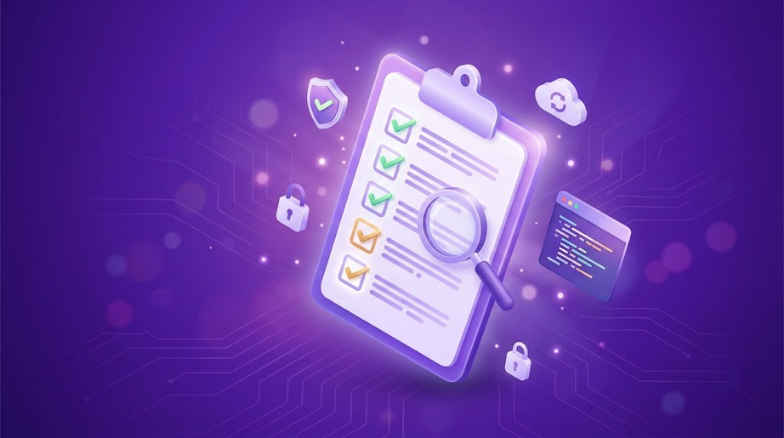
Go through each section and mark every item as Yes, No or Not sure. Treat “Not sure” the same as “No”, because if you cannot confirm something, you cannot rely on it. At the end, there is a short guide to what your answers mean.
One honest note: a checklist cannot replace a proper review by an experienced developer. It helps you find obvious gaps and have better conversations. It cannot prove that your code is secure.
Section 1: Ownership and Access
- I have my own login to the domain registrar, hosting account and website admin.
- I have access to the code repository (for example, a Git account), and I am an owner, not just a guest.
- Important accounts are registered with my business email, not a developer’s personal one.
- I know which third-party services the project uses (payments, email, analytics, AI tools) and who pays for them.
- I have a written agreement saying the code and content belong to me.
Why it matters: If a developer leaves or disappears and you cannot access your own project, even a perfectly good website becomes a problem.
Section 2: Backups and Recovery
- Automatic backups of the site and database are running.
- Backups are stored somewhere separate from the main server.
- Someone has actually tested restoring a backup.
- I know how long it would take to get the site back online after a failure.
Why it matters: A backup you have never tested is only a hope. AI-built projects often skip this step entirely.
Section 3: Security Basics
- The site uses HTTPS (a padlock appears in the browser).
- Admin accounts use strong, unique passwords, and two-factor authentication is switched on where possible.
- Only people who need admin access have it, and former team members have been removed.
- The platform, plugins, themes and libraries are kept up to date.
- Unused plugins, packages and test pages have been removed.
- Passwords, API keys and other secrets are not written in the code or sent in chats and emails.
- Debug mode and test settings are turned off on the live site.
- Payments go through a trusted payment provider, and card details are not stored on my own server.
Why it matters: These are the most common ways small sites get compromised. See our guide on whether AI-generated code is secure for the deeper risks behind these items.
Section 4: Does It Really Work?
Test the site the way a real, slightly careless customer would use it:
- Every main page, form and button works on a phone and a computer.
- Forms handle mistakes properly: empty fields, wrong email format, very long text, special characters.
- I tested the full journey as a new user: sign up, log in, buy or book, log out, reset password.
- I double-clicked buttons and used the back button to see whether anything breaks or duplicates.
- Emails (confirmations, password resets) arrive and do not land in spam.
- A logged-in customer cannot see other customers’ information or reach admin pages.
Why it matters: AI-written code often handles the normal path well and fails on the unusual one.
Section 5: Speed and Stability
- Main pages load in a reasonable time on a mobile connection.
- I have run a free speed test (for example, Google PageSpeed Insights) and know the results.
- The site stays up during busy times, and nothing slows noticeably as data grows.
- Images are compressed to sensible sizes.
- I would be alerted quickly if the site went down.
Section 6: Data and Privacy
- I know exactly what personal data the site collects and where it is stored.
- There is a privacy policy that matches what the site really does.
- I know which outside services receive my customers’ data, including AI tools.
- I have a plan for what to do if customer data is exposed.
Why it matters: Legal requirements depend on where you operate and who your customers are. If you handle personal data, check the rules that apply to you or ask a qualified adviser.
Section 7: Code Quality and Handover
- A developer other than the original builder can look at the project and understand how it is organized.
- There is written documentation: how to set up, deploy and update the project.
- Changes are tracked in version control so they can be undone.
- There is a separate test or staging copy where changes are tried before going live.
- There are some automated tests that check the important features.
- I know which parts of the code were written by AI and which were reviewed by a person.
Section 8: Questions to Ask Your Developer (or Your AI Tool)
- “What are the biggest weaknesses in this project right now?”
- “What happens if this part fails or someone enters unexpected data?”
- “Where is customer data stored, and who can access it?”
- “How would a new developer take over this project?”
- “What would you fix first if you had one week?”
A good developer answers these openly. If an AI tool answers, treat its reply as a starting point and have a person verify it, because AI can sound confident and still be wrong.
What Your Answers Mean
- Mostly Yes: You are in a good position. Keep reviewing regularly, and consider an occasional independent check.
- A mix of Yes and No: Fix the ownership, backup and security items first, since they carry the highest risk for the least effort.
- Mostly No or Not sure: Your project is probably not production-ready. Compare it with our list of the 5 signs your AI-built website is not production-ready, and consider a professional review.
If you answered “No” to anything in the security or data sections and your site takes payments or holds customer information, do not wait. Get an expert to look at it soon.
When to Get a Professional Review
Call in an expert if your project handles payments or personal data, if you are about to launch or run a big campaign, if things keep breaking, or if you simply cannot answer many of the questions above. A good review will tell you what is wrong, how urgent it is, and whether to repair or rebuild. You can read what is included in our guide to the AI code audit.
Want Help Working Through Your Checklist?
At Tech Contributors, we review AI-generated and cheaply built websites and apps, explain the findings in plain language, fix what needs fixing, and offer ongoing maintenance. See our AI Code Audit & Fix service or contact us to talk about your project.